Release Notes > 6.4.0
Webiny 6.4.0 Changelog
See what's new in Webiny version 6.4.0
 release on GitHub.
Headless CMS
Fixed CMS Plugin Models Not Being Cached (#5208)
Plugin-registered CMS content models were not being cached, causing unnecessary lookups on every request and slowing down the backend API. Plugin models are now cached alongside database models, improving API performance.
Added Revision Description Field (#5165)
Content model entry revisions can now include a description. When an entry is published, the revision description is stored alongside the revision metadata, making it easier to track what changed between versions.
Text Field Compression Storage (#5213)
Text fields now support compression when storing large values. When enabled, the field stores a compressed representation containing the compression algorithm and the compressed value. This can significantly reduce storage costs for content-heavy text fields.
Refactored Asset Delivery to Use Dependency Injection (#5226)
The asset delivery system has been migrated from a custom manual DI container to the standard createFeature/createAbstraction system from webiny/feature. This brings asset delivery in line with other Webiny subsystems and reduces boilerplate.
Key changes:
- Asset delivery interfaces and implementations moved from
delivery/AssetDelivery/tofeatures/assetDelivery/, co-locating abstractions with their default implementations - S3-specific concerns (
S3Client,S3Bucket, config) extracted into dedicated abstractions inapi-file-manager-s3, registered viacreateS3AssetDeliveryFeature - Private files support (authorizer, processor decorator) is conditionally registered based on WCP context
This is an internal refactor with no changes to the public API.
Entry Data Factories for CMS Features (#5205)
CMS features can now receive entry data factories via dependency injection rather than relying on internal static methods. This change improves testability and allows you to customize how entry data is constructed in advanced use cases.
Dynamic Zone Template Gallery Search and List View (#5245)
The dynamic zone template picker now includes a search bar to filter templates by name, and a grid/list view toggle. The list view provides a compact alternative to the existing card grid, making it easier to navigate projects with many templates.
Fixed Dynamic Zone Template Gallery Clipping (#5166)
The template picker modal in the Dynamic Zone field was cutting off the last row of template tiles. A missing bottom margin has been added so all templates are fully visible and accessible when scrolling.
Website Builder
AI Personas and Projects for Content Generation (Beta) (#5194,#5202)
The AI Powerups package now supports configurable personas and file-backed project contexts that shape AI-generated content tone and audience targeting.
Personas are presets with a name, description, and style that influence how the AI generates content. Projects are file-backed contexts with token budget validation, version-tracked caching, and default persona bindings. Together, they let you define consistent content guidelines for different brands, audiences, or content types.
The implementation uses a manifest-based approach where the AI model fetches project files on demand via a read_project_file tool instead of receiving all content upfront. Generation results now include telemetry data (files read, cache hits, tool calls made, total steps) in the websocket response.
Additionally, the AiImageEnrichment functionality was moved from api-file-manager to ai-powerups to resolve a circular package dependency.
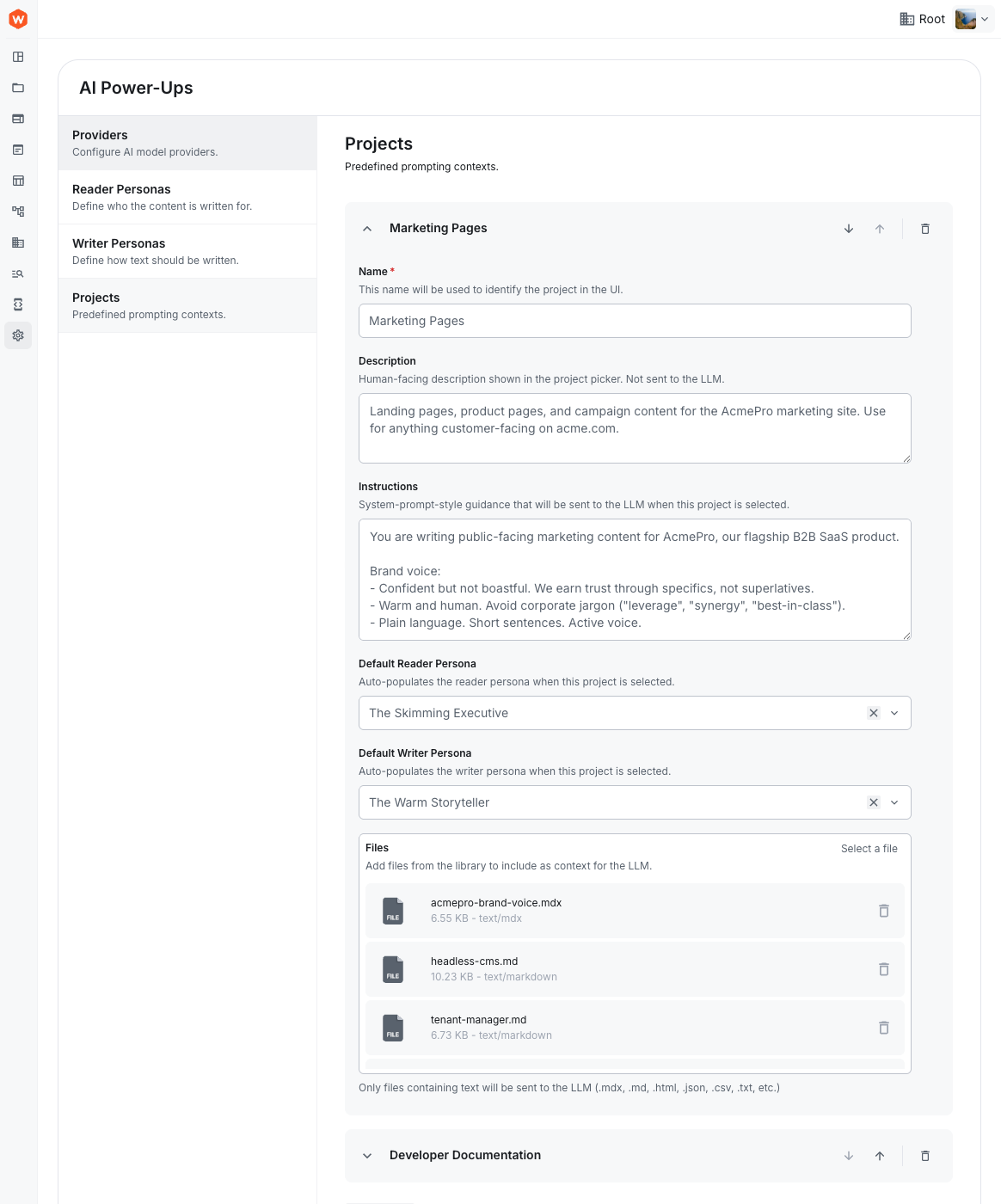 AI projects and personas
Read-Only Mode for Non-Draft Page Revisions (#5164)
The Website Builder editor now opens published and previously published page revisions in read-only mode. Only draft revisions remain fully editable, preventing accidental modifications to live content.
Published Pages Open Clean URL From Pages List (#5151)
Clicking the link icon next to a published page in the pages list now opens the page’s public URL without preview query parameters. Draft and unpublished pages continue to open the preview link with wb.* params.
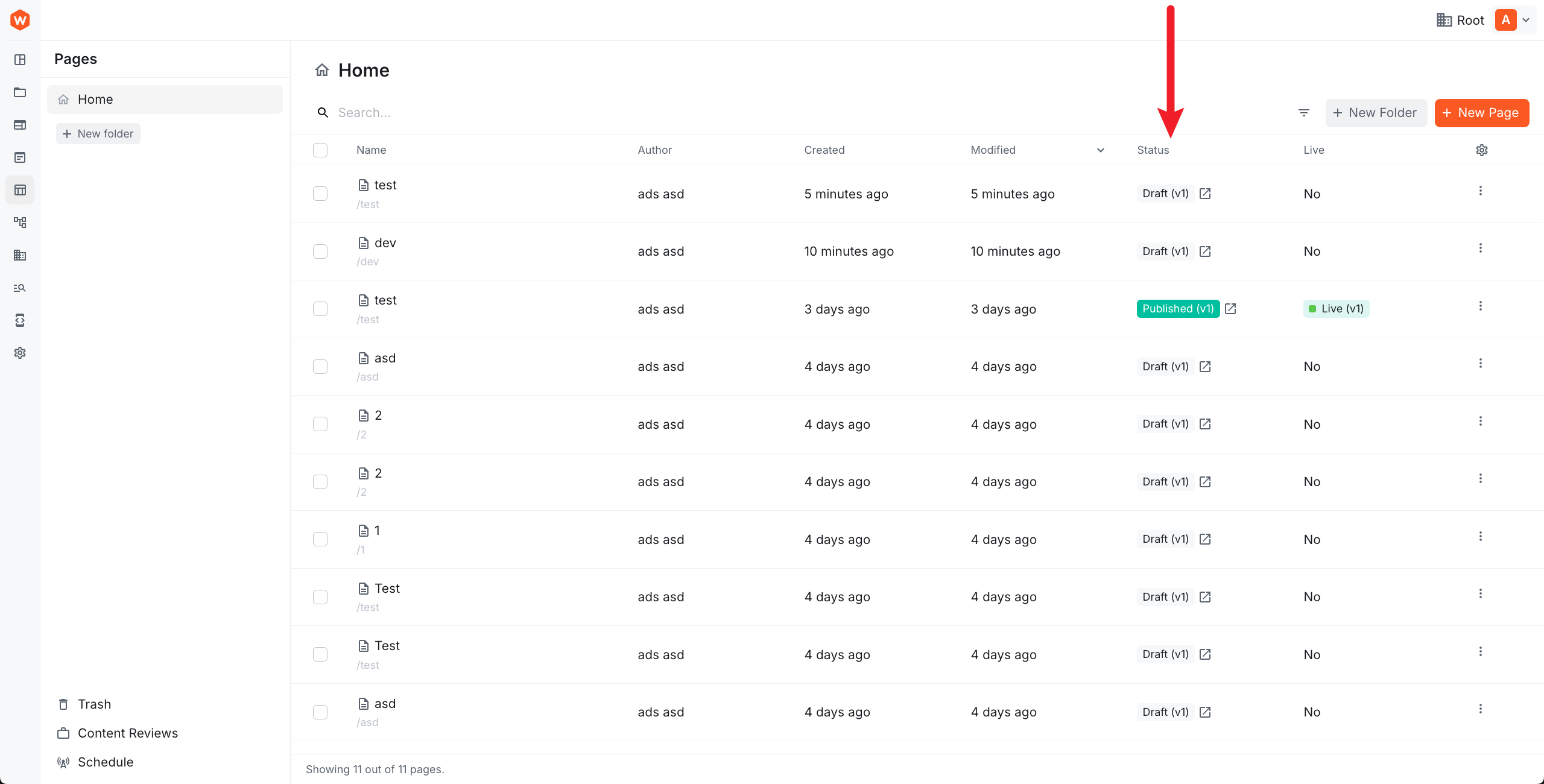 Clean URL link icon for published pages in pages list
Custom Query Parameters for Live Preview URLs (#5215)
Previously, there was no way to inject custom query parameters into Website Builder’s live preview URLs without modifying framework code. You can now register a PreviewUrlModifier via the DI container to append any query parameters you need to all preview URLs — including asynchronously fetched values such as signed tokens.
The modifier applies to both the in-editor iframe URL and the page list preview links.
Page Editor UI Overhaul (#5211)
The Website Builder page editor received a significant visual refresh. The drag preview indicator is now a designed pill-shaped component showing the element name and icon — a dotted border when dragging, solid fill when over a valid drop slot. The Style sidebar has been redesigned with a consistent label-left / control-right row layout across all sections (Layout, Border, Background, Visibility). The element overlay now displays the component icon alongside its name. Boolean and Visibility inputs use compact segmented controls instead of switches.
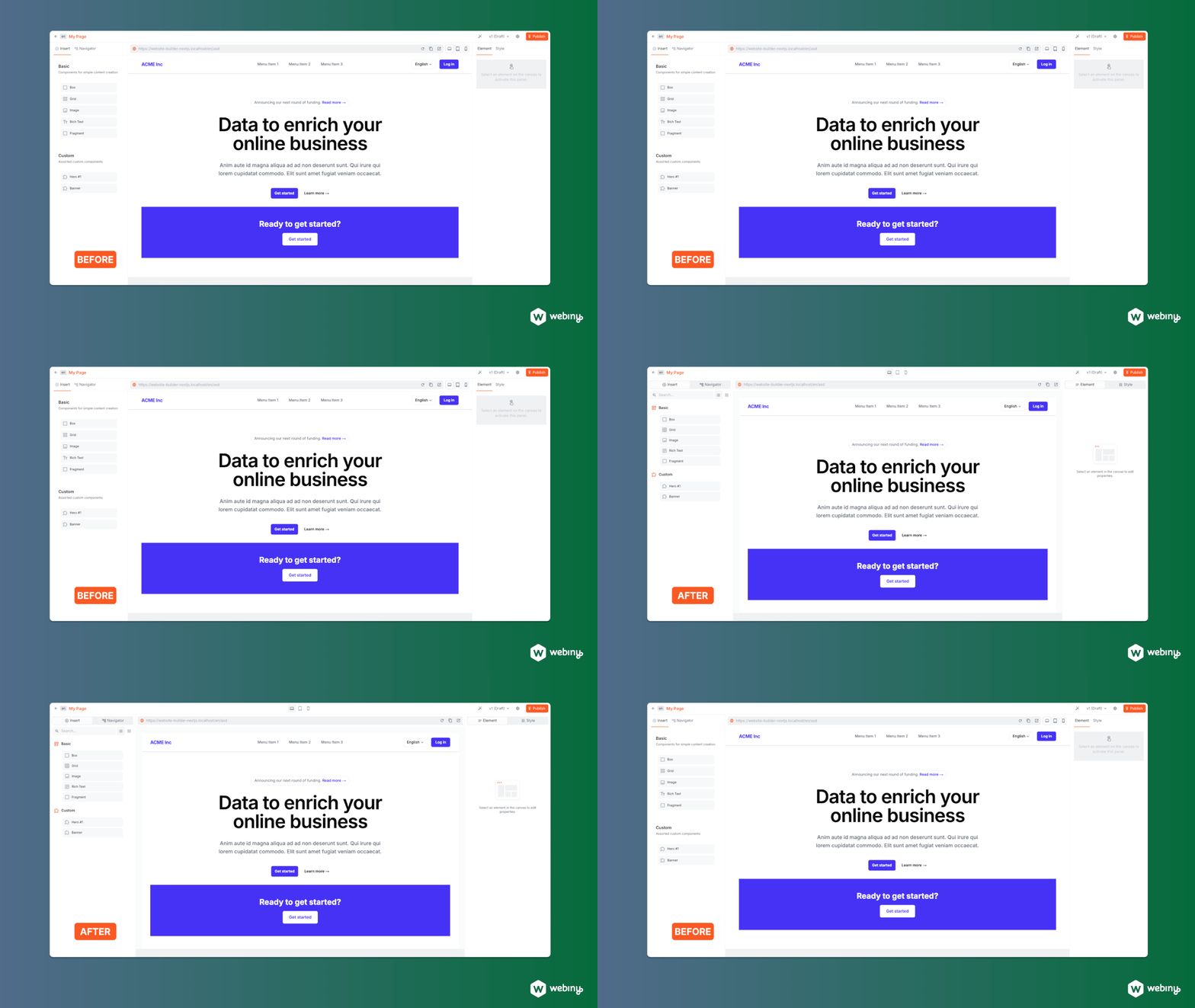 Website Builder page editor UI overhaul
Page Revision Descriptions (#5189)
Page revisions in Website Builder now support descriptions. When publishing a page, you can add a description to the revision to help track what changed — useful for teams collaborating on content updates.
Added Font Size Toolbar Action for Lexical Editor (#5235)
The Lexical rich text editor now includes a Font Size action in the toolbar. When your cursor is collapsed (no selection), applying a font size expands to the full paragraph automatically.
The Theme class constructor has been updated to accept an object with a fontSizes property:
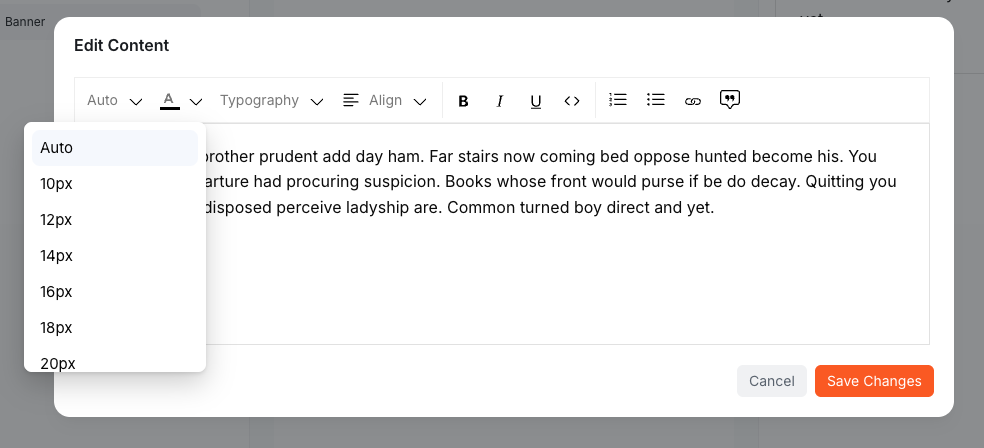 Lexical Font Size Selector
Fixed Ordered List Numbering in Lexical Editor (#5194)
Ordered list items now get correct sequential numbering when importing HTML content into the Lexical rich text editor. Previously, imported lists could display incorrect numbers.
Fixed Dropdown and Link Editor Positioning in Dialogs (#5235)
Dropdowns (font size, color picker, alignment) inside modal dialogs were being clipped by the dialog’s scroll container. These dropdowns now use Radix UI’s portal mechanism, ensuring they render above the dialog and remain fully visible.
The floating link editor also had positioning issues inside dialogs — it would overflow viewport edges or become unclickable. The editor now portals into the dialog content element and uses viewport-edge clamping to stay within bounds.
Vue 3 and Nuxt Integration (Preview) (#5143)
Website Builder now supports Vue 3 and Nuxt applications in preview. Two new packages — @webiny/website-builder-vue and @webiny/website-builder-nuxt — provide the same document rendering, live editing, and state management capabilities as the existing React and Next.js integrations. All built-in editor components (Grid, Image, Rich Text, Box, etc.) are available in the Vue ecosystem.
To try it, head to the Nuxt starter kit which includes setup instructions. Official docs will be added as the integration matures.
Custom Query Parameters for Live Preview URLs (#5222)
You can now inject custom query parameters into Website Builder’s live preview URLs by registering a PreviewUrlModifier via the DI container. The modifier receives the full URL object and can mutate it however needed — including async operations like fetching signed tokens from a remote API. It applies to both the in-editor iframe URL and the page list preview links.
Fixed Model Registration and GraphQL Field Registry (#5220)
Website Builder page and redirect models were migrated to the ModelFactory pattern with registrations moved to run before context plugins. Additionally, a bug was fixed where the CMS GraphQL field type registry could be constructed with no field type implementations, causing GraphQL input types to generate empty and produce a schema error.
Admin
Added MultiSelect Component (#5200)
A new MultiSelect component is now available in @webiny/admin-ui. It works like the existing Select component but allows picking multiple values via a checkbox dropdown. The trigger displays all selected labels inline by default; enable showSelectionCount to show a compact count summary instead (e.g. “3 items selected”).
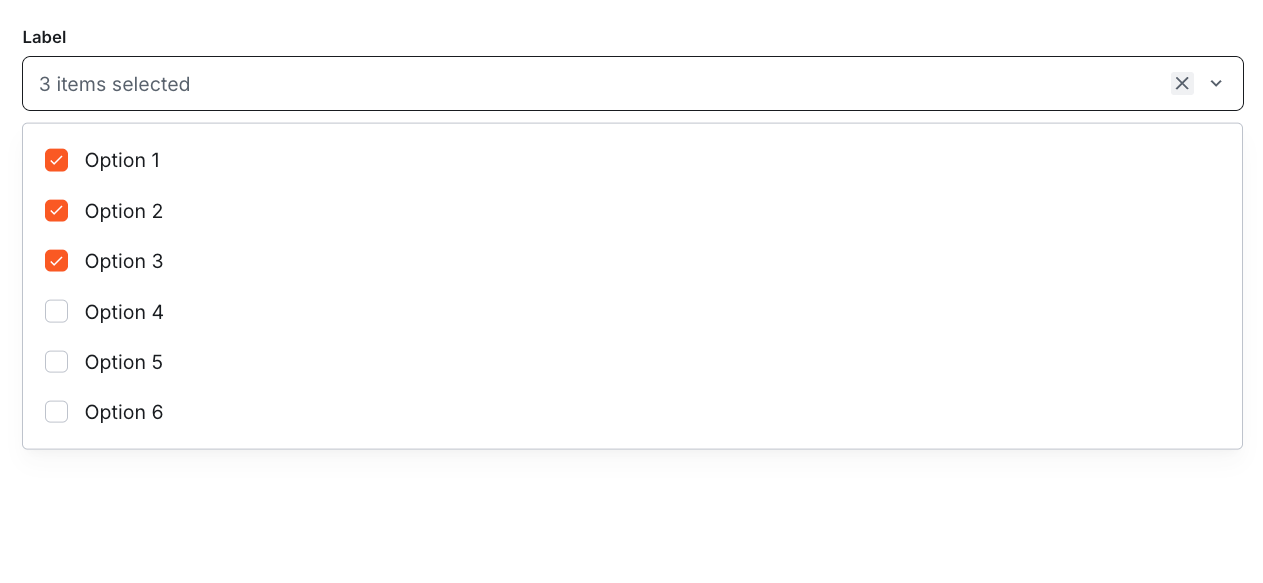 MultiSelect component showing multiple selections
Added Toggle and ToggleGroup Components (#5159)
Two new form input components have been added to @webiny/admin-ui: Toggle, a button that switches between active and inactive states supporting text, icons, or both; and ToggleGroup, which groups multiple toggles for single or multi-select scenarios with an optional bordered container. Both components support primary, outline, ghost, and ghost-negative visual variants and integrate with the standard form validation and notes API.
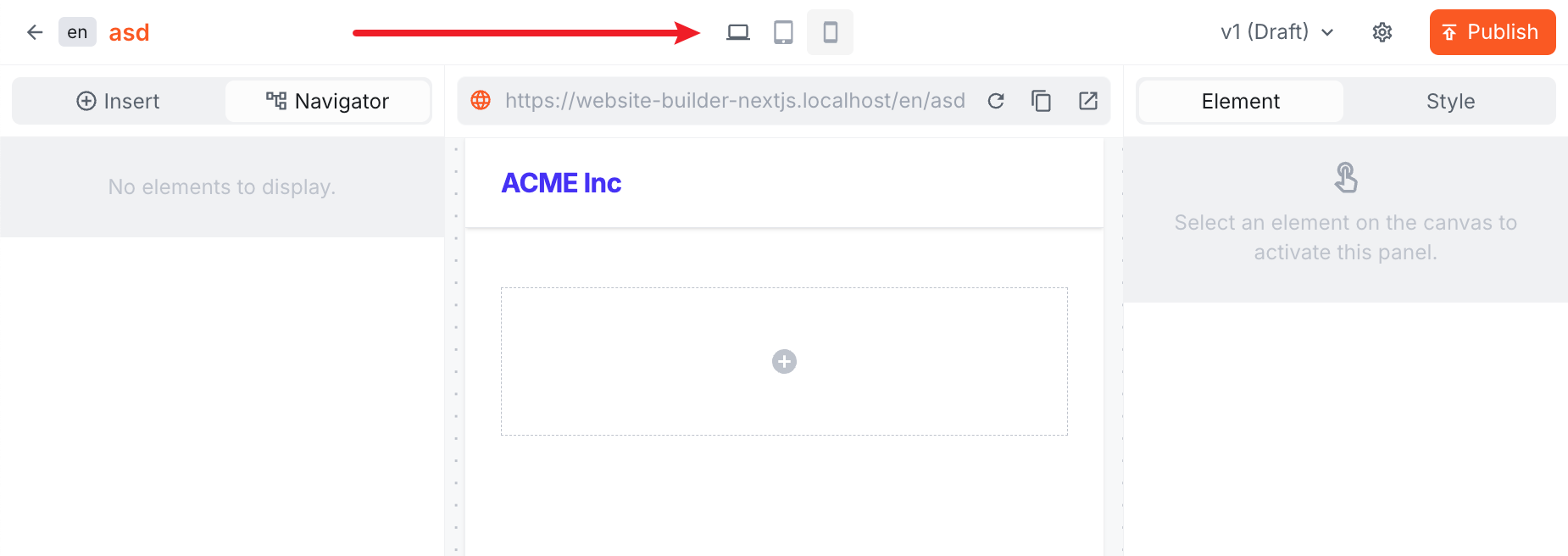 Toggle and ToggleGroup components in the admin UI
Dialog Loading Overlay Now Covers the Entire Dialog (#5168)
The loading spinner shown while a dialog action was in progress was being clipped, appearing only over the dialog body and cutting off at the footer. It now covers the full dialog surface, including the header and footer. The Dialog component gains a first-class loading prop (boolean | { text?: string }) that handles overlay rendering internally.
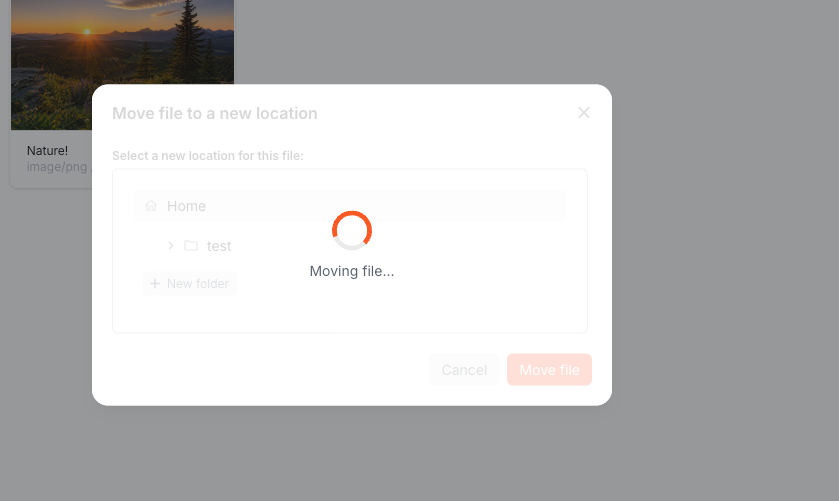 Dialog loading overlay covering the entire dialog
Fixed Audit Logs Infinite Scroll Discarding Previously Loaded Records (#5175)
When scrolling through the audit logs list, loading more records replaced the current page instead of appending to it. Users could not scroll back to see earlier entries, and the scroll position jumped to the top on each page load. Previously loaded records are now accumulated across pages, and the scroll position is preserved when new entries are appended.
Replaced File Picker Component (#5214)
The legacy react-butterfiles library has been replaced with a new BrowserFilePicker component in @webiny/app-admin. The new component uses a presenter-based architecture with proper MIME type detection and size validation. This change affects file upload flows in the File Manager and CMS model import — no API changes are required, but the underlying implementation is now more robust.
Form Model Enhancements (#5194)
The form model system now supports hiddenWhen conditional visibility, improved error handling via FormErrors and PresenterErrors, a multi-file picker field type, and better focus management.
Lexical Form Field Type (#5227)
Added a lexical field type to the FormModel system, enabling rich text editing in custom forms via fields.lexical(). The field produces a value containing both the Lexical editor state and the rendered HTML.
As part of this change, the Lexical editor export path moved from webiny/admin/lexical to webiny/admin/ui/lexical, and the CMS/Website Builder editor configs were renamed from ExpandedEditorConfig/CompactEditorConfig to LexicalEditorConfig.Expanded/LexicalEditorConfig.Compact.
File URL Formatter Extension Point (#5210)
Added a FileUrlFormatter extension point that allows projects to customize how file and image URLs are constructed in the admin UI. This is especially useful for projects using a custom DAM or CDN — you can remap file URLs to your own delivery infrastructure without touching framework code.
Replacedtimeago-reactWith Custom Implementation (#5225)
The timeago-react package (flagged as compromised) has been replaced with a custom TimeAgo component built on the Temporal API. The component API remains unchanged — existing <TimeAgo datetime={...} /> usage works without modification. Live updates now use adaptive intervals that stop entirely after 1 hour of elapsed time.
Improved Form Validation and List Loading States (#5257)
- Form validation: Parent objects no longer show redundant “Invalid value” errors when only their child fields have validation failures
- List loading: The pagination system now distinguishes between initial load and “load more” operations, eliminating skeleton flash when loading additional items
Fixed File Manager Field Visibility (#5229)
The accessControl.type field in file queries was always included, even when the Private Files feature wasn’t licensed. This has been fixed — the field now appears only when canUsePrivateFiles() returns true.
Development
WebSockets Service Now Exported Fromwebiny/api(#5203)
The Websockets service abstraction was not previously accessible from the main webiny/api entry point, requiring deep imports to use it in custom code. It can now be imported directly and injected via the DI container into any class — routes, event lifecycle handlers, custom features, or anywhere dependency injection is available.
Below is a simple example using a Route:
Upgraded Rsbuild and Rspack to V2 (#5167)
The bundling toolchain used to build the Webiny Admin app and Lambda functions has been upgraded from Rsbuild v1 / Rspack v1 to Rsbuild v2 / Rspack v2, bringing improved performance, reduced installation size, and various upstream fixes.
Support for Environment-Specific.envFiles (#5237)
Webiny now loads environment-specific .env files in addition to the base .env. When deploying with a given environment name, the SDK first loads .env for shared defaults, then loads .env.<environment> (e.g. .env.production) if it exists — values in the environment-specific file take precedence.
This simplifies managing different configurations across environments without modifying the base .env file.
Async Encryption Interface (#5233)
The encrypt and decrypt methods on the IEncryption interface now return Promise<string> instead of string. This change prepares the encryption abstraction for async backends like AWS KMS or hardware security modules. If you’ve implemented a custom encryption provider, update your methods to be async.
Fixed Gzip Decompression for Non-JSON Values (#5198)
The @webiny/utils gzip helpers now handle decompression correctly when the original value wasn’t JSON-stringified before compression. Previously this would throw a parse error — now it returns the raw decompressed value if JSON parsing fails.
Removed Lerna From Release Pipeline (#5241)
The internal release tooling no longer uses Lerna. Versioning and publishing are now handled by custom utilities that build the dependency graph directly from workspace package.json files. This change has no impact on Webiny users — it streamlines Webiny’s own release process.
Bundle Analysis With RSDoctor (#5254)
The webiny build command now supports an --analyze flag that enables RSDoctor bundle analysis. When passed, it generates detailed reports on bundle composition and build performance, helping diagnose large bundles and slow builds.
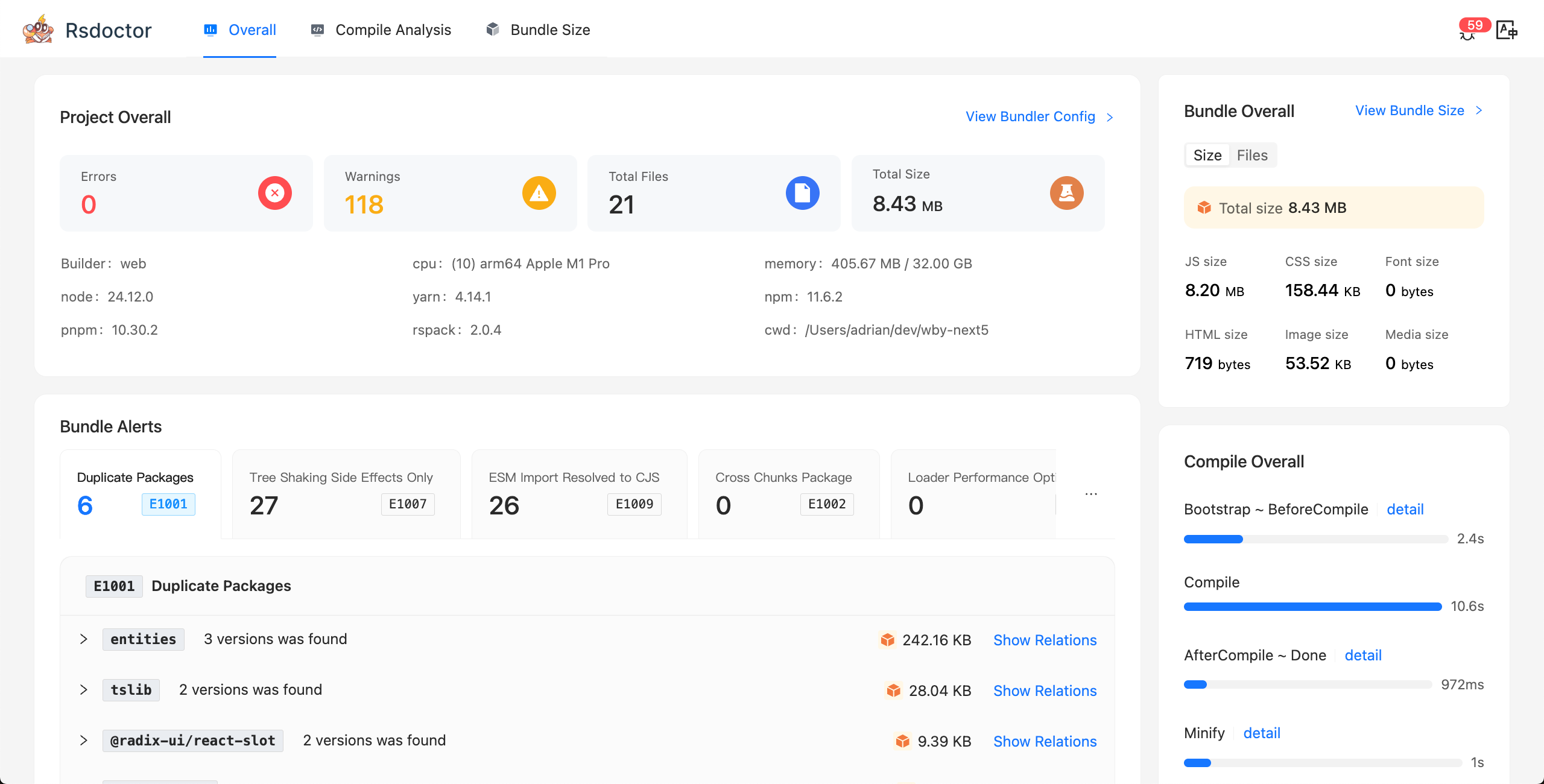 RSDoctor bundle analysis output
Desktop Notification on Build Completion (#5251)
The build script now sends a native desktop notification when a build completes or fails, so you don’t have to keep watching the terminal. Works on macOS and Linux. The notification includes the project name.
Yarn Configuration Defaults Loaded From Template (#5258)
The SetupYarn step now reads .yarnrc.yml defaults from the example template file instead of hardcoding them, making the template the single source of truth for Yarn settings. The --assign-to-yarnrc flag still overrides any template value.
Infrastructure
API Bundle Size Limit (#5221)
Added a new Infra.Api.MaxBundleSize extension that enforces a configurable size limit on the API Lambda bundle at build time. The default limit is 4.5 MB. If your built bundle exceeds the limit, the build fails with a clear error message pointing to the exact config change needed to raise it:
SMTP Transport TLS Configuration Fixed (#5253)
The SMTP transport in the mailer API could not negotiate TLS/SSL connections because nodemailer’s secure option was never passed through. This made it impossible to connect to modern SMTP providers (Gmail, AWS SES, etc.) that require explicit TLS configuration.
The fix adds a secure field to transport settings and changes the default port from 25 (blocked by most cloud providers) to 587 (STARTTLS). When secure is not explicitly set, it defaults to true for port 465 (implicit TLS) and false otherwise.
Transport creation errors now return a distinct TransportCreateError type instead of being thrown as unhandled exceptions.
Webhooks
Webhooks (Beta) (#5218,#5219,#5224,#5231,#5244)
Webhooks are a new beta feature that lets you trigger external HTTP endpoints when content changes. You can configure webhooks from the admin dashboard, subscribe to CMS entry lifecycle events (create, update, publish, delete) and Website Builder page and redirect events, and inspect delivery history with full request/response payloads.
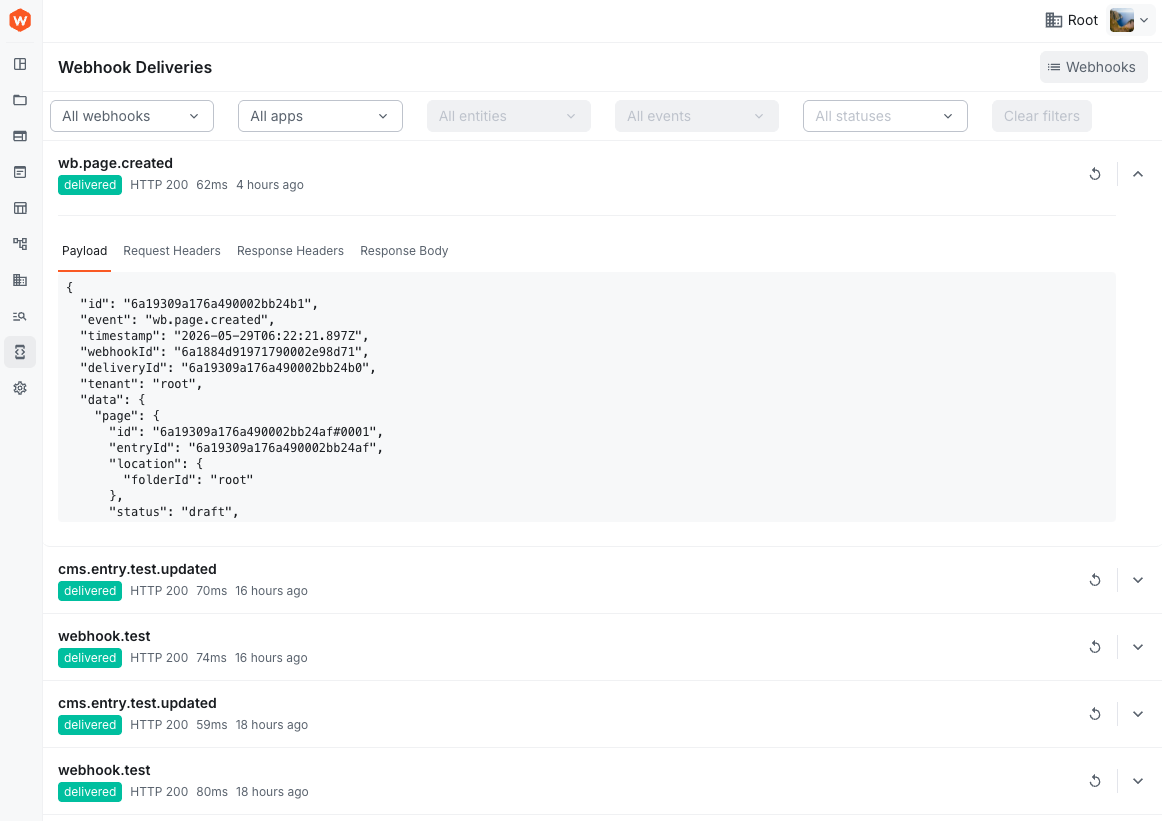 Webhook Deliveries
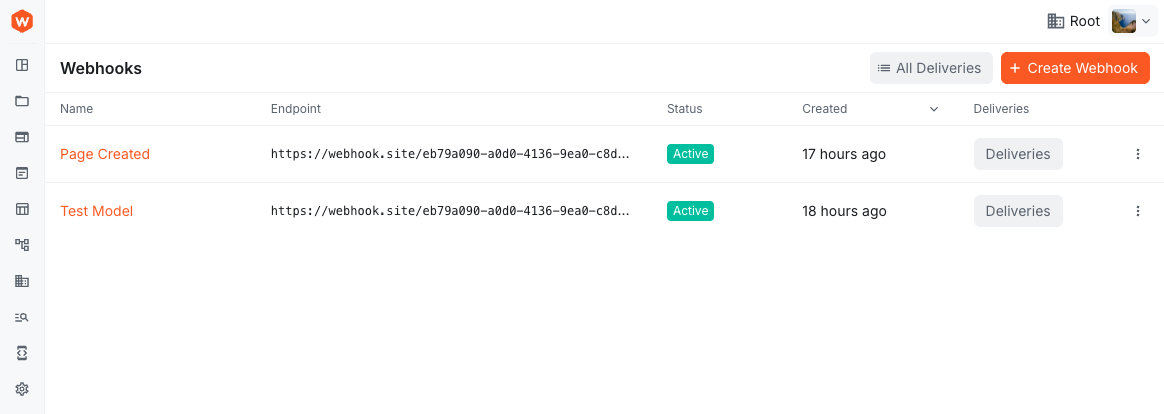 Webhooks
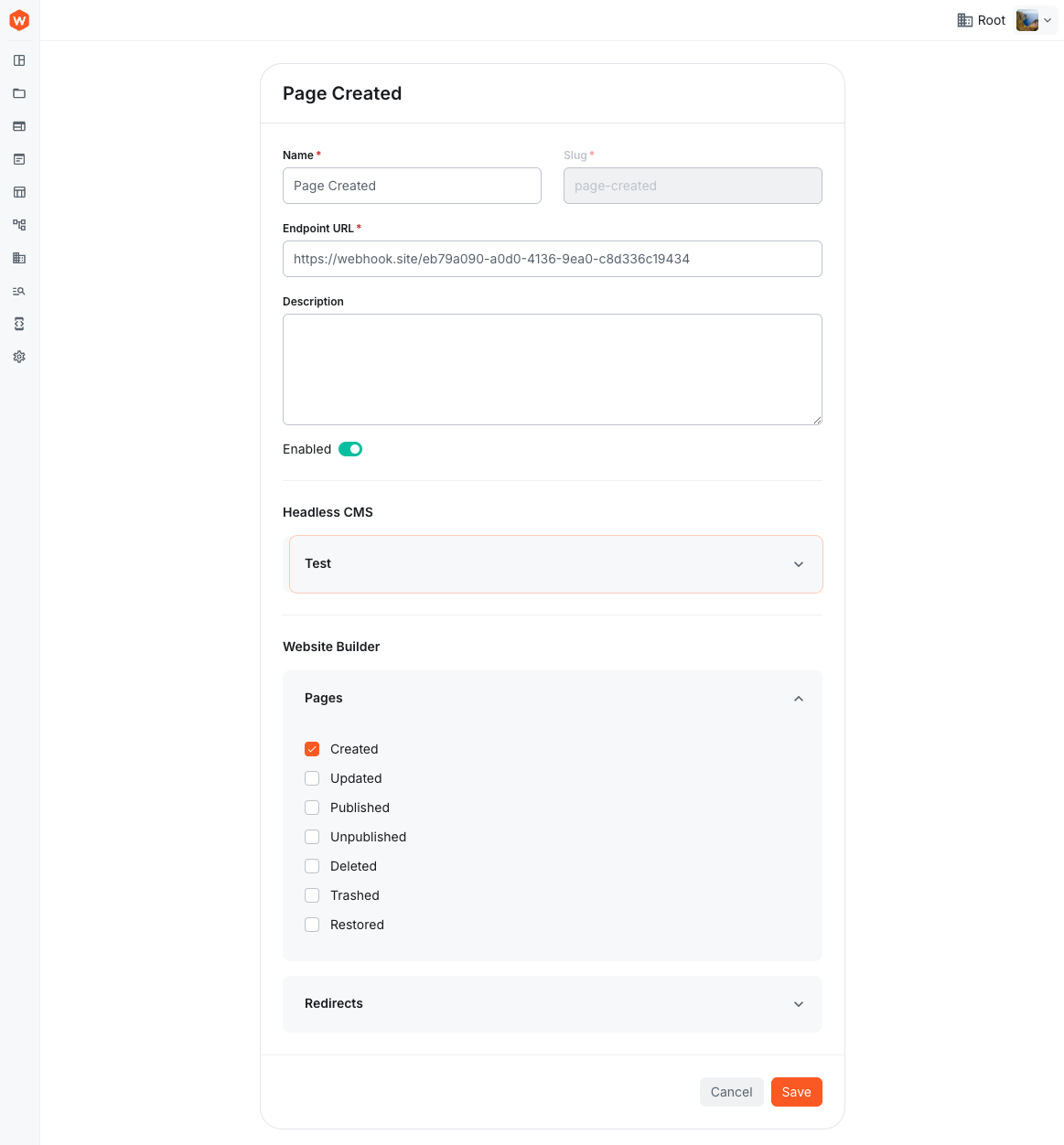 Webhook Form
Full Webhook Management System (#5199)
Webiny now includes a complete webhook management system covering domain modelling, persistence, GraphQL API, background delivery, and security.
Key features:
- CRUD operations for webhooks and delivery logs via GraphQL
- Standard Webhooks spec for payload signing and verification
- Background delivery — delivery records are created immediately when events fire, then processed asynchronously with full status tracking (
pending→delivering→delivered/failed) - Manual trigger and resend — test webhooks via GraphQL or resend failed deliveries (creates a new delivery record, preserving history)
- Permission-gated — CRUD operations require
webhooks.webhookpermission, but delivery itself fires regardless of user permissions
Fixed Webhook Settings Encryption Storage (#5230)
The webhook encryption key was not being stored properly, which could cause signature verification failures. This has been fixed.
Background Tasks
Background Tasks UI (Beta) (#5232)
A new admin interface for viewing background tasks is now available. You can list all tasks and inspect their status, making it easier to monitor long-running operations like bulk imports or scheduled jobs.
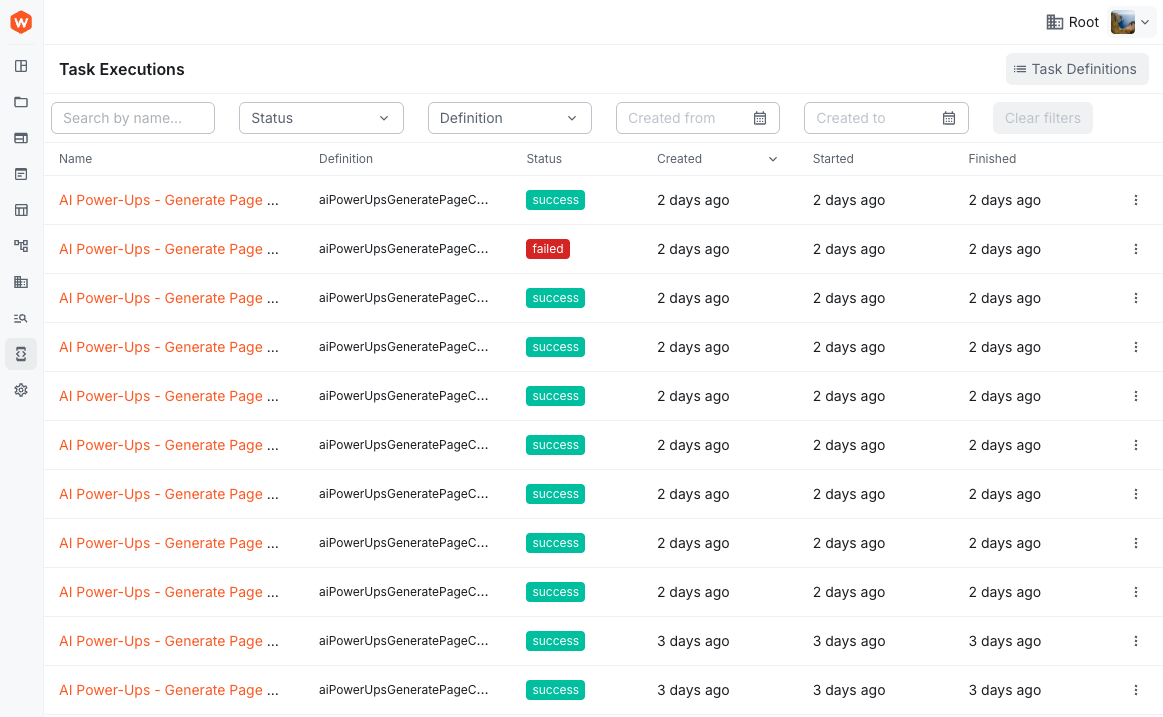 Background Task Executions
Configurable Task Retention Settings (#5249)
Background task run retention is now configurable through both the Admin UI and infrastructure code. A new settings page at Settings > System > Background Tasks lets you set how long completed task runs are kept (0–3650 days, where 0 means never delete).
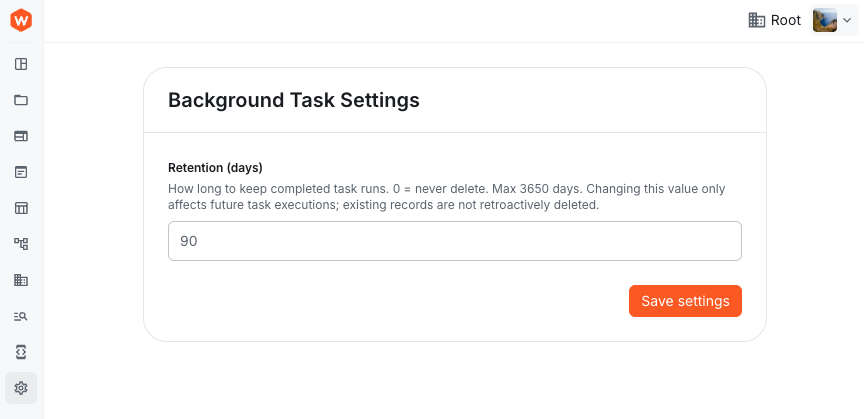 Background Task Settings
You can also set a default retention period via your infrastructure code:
The priority order is: admin UI setting → infrastructure default → hardcoded default (90 days).
The @webiny/tasks package has been consolidated into @webiny/background-tasks. Update your imports accordingly if you were using the tasks API directly.
Webiny SDK
Removed Standalone Entity Type Exports (#5152)
The SDK no longer exports raw domain entity types like FmFile, CmsEntryData, TaskDefinition, etc. These types were not intended as part of the public API — SDK methods already return fully typed results, so you can rely on TypeScript inference instead: